Lightspeed WhatsApp
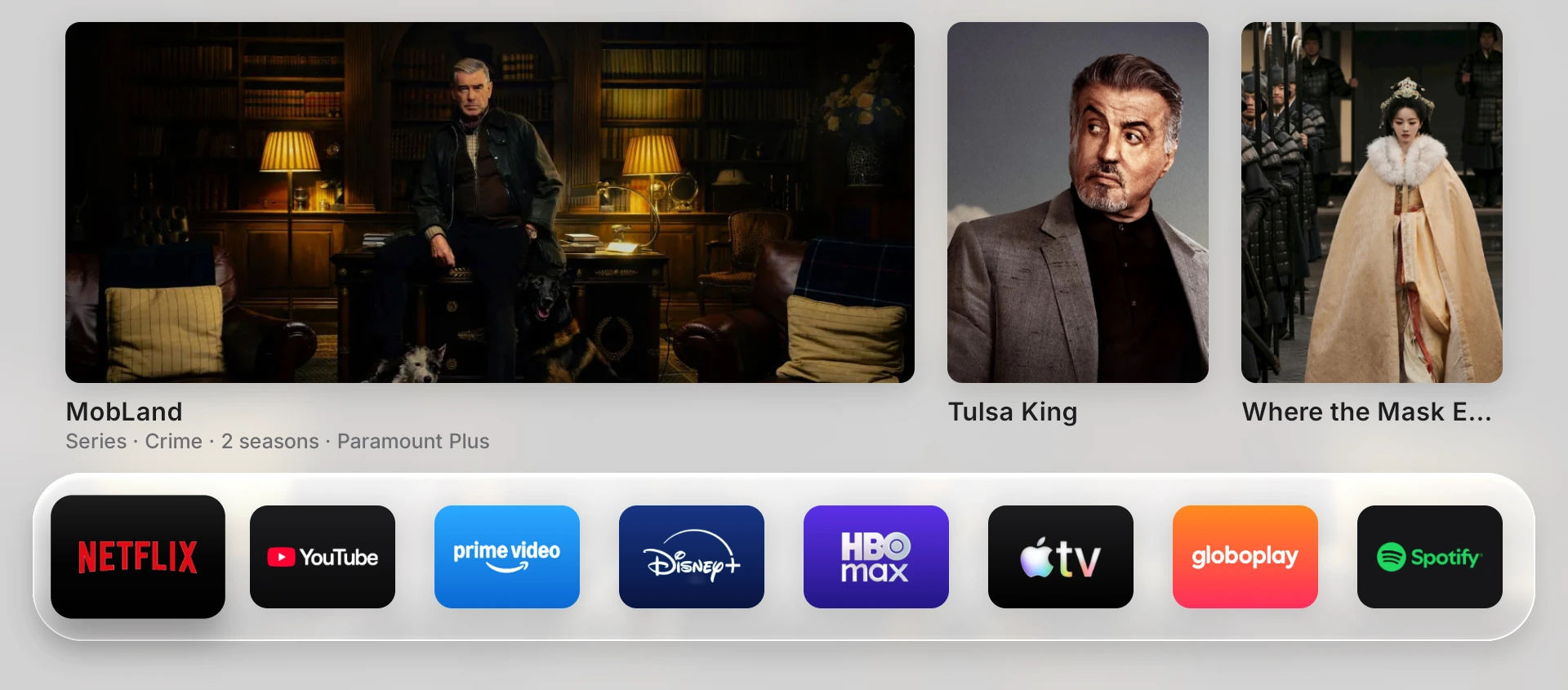
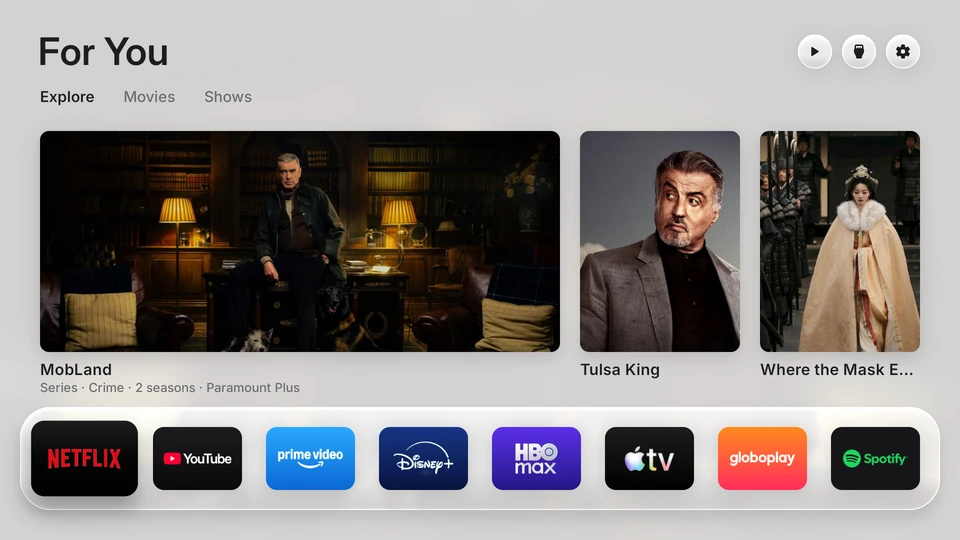
A TV home screen after the service: trending series and a bar with Netflix, YouTube, Prime Video, Disney+, Max, Apple TV, Globoplay and Spotify

Is your TV slow and full of ads?

I make it light, fast and cinema-like, over WhatsApp, with no home visit. It isn't IPTV: you keep the streaming services you already have.

Everything for R$ 39.90 · I check your TV before you pay · Half only at the end

Sound familiar?

  • Apps take forever to open.I switch off the factory apps running in the background. On the TV in the photos, 36 of them.
  • You turn on the TV and a movie ad pops up.The banner goes. Your screen comes in.
  • Loads of apps you never opened.The list shows only what you use.
  • Remote buttons that do nothing.Netflix, YouTube and Prime open from the button.
  • Suggestions from services you don't pay for.What's trending on your own streaming services.

Press and see the difference.

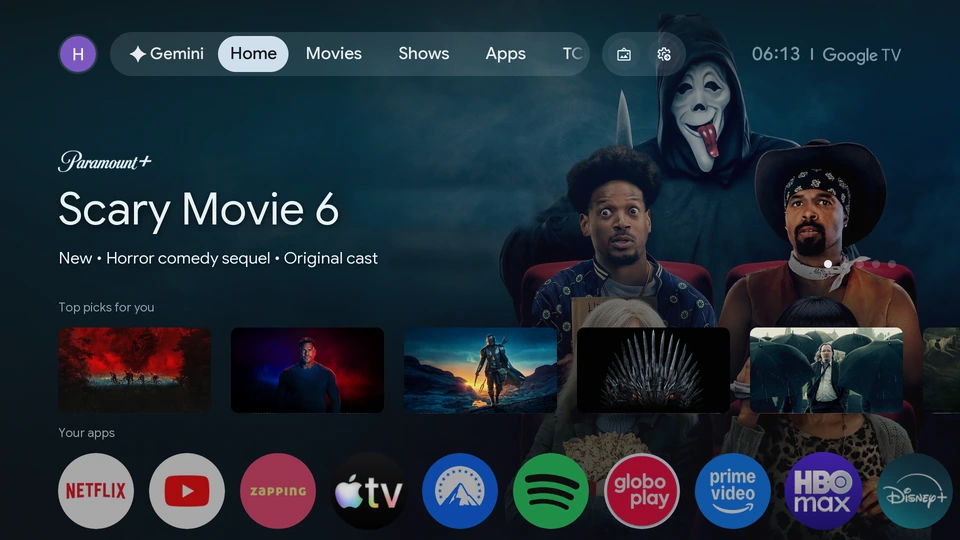
Real photos of a 55" TCL with Google TV, before and after the service.

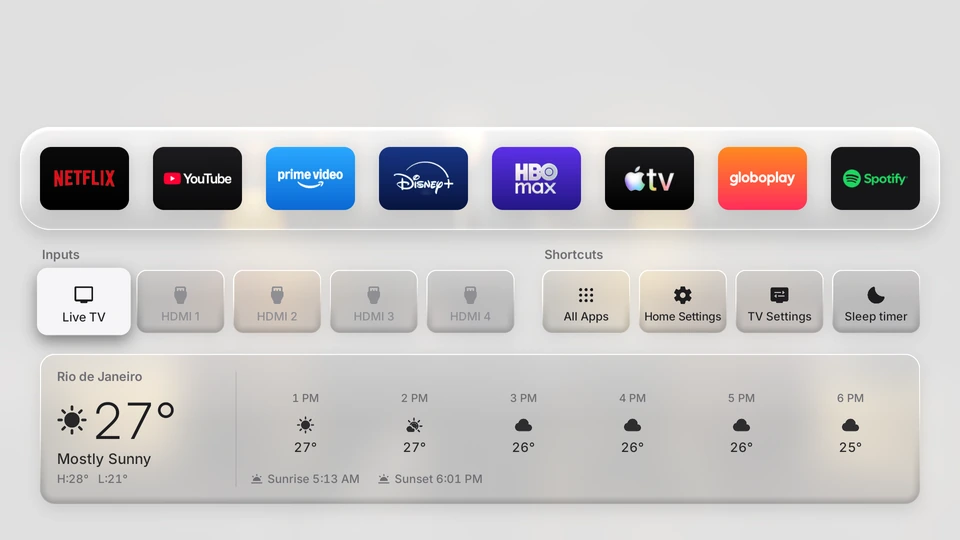
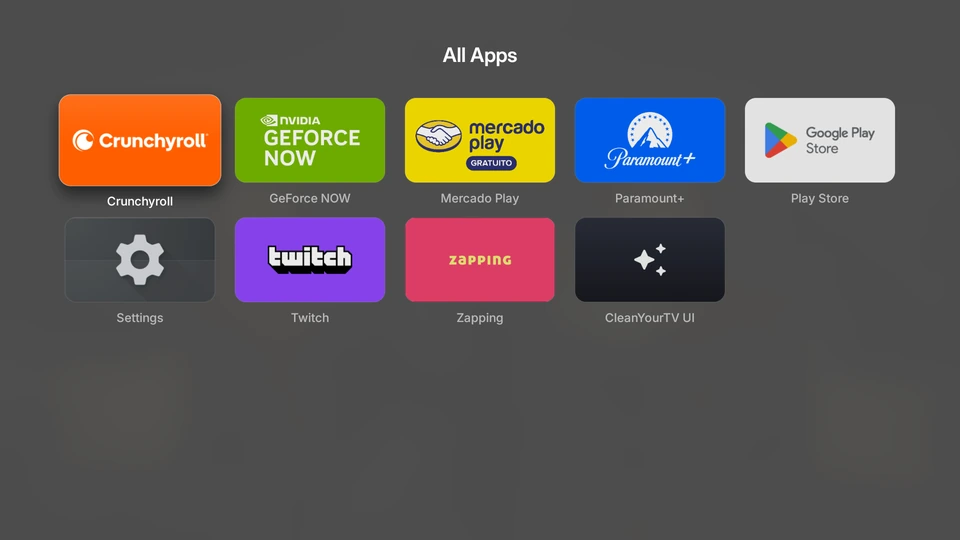
Before: the factory Google TV home screen with a movie ad banner and recommendations After: the For you screen with trending series and the app bar After: the app bar, HDMI inputs, shortcuts with a sleep timer and the local weather After: the list of all apps showing only what the person uses
Before. The factory Google TV: an ad banner, recommendations you never asked for and dozens of brand apps running in the background. After. "For you": what's trending on the services you pay for, with your app bar below. After. Scroll down a little: HDMI inputs, shortcuts (even a sleep timer that turns the TV off) and your city's weather, hour by hour. After. The app list shows only what you use. The rest is still installed, just hidden.

All online, no visit.

  1. 2 min

    You send me the TV model

    A photo of the label on the back or of the "About" screen. I check it works before you pay anything.

  2. 10 min

    You follow the steps on WhatsApp

    Turn on one option in the TV settings and install a free private-connection app. I send every step with a screenshot.

  3. 1–2 h

    I set it up from my computer

    Cleanup, new screen and buttons. You get photos of the screen at each step and can keep watching TV in between.

  4. 5 min

    You check it and I close access

    We test the buttons together. I show you how to switch the TV option off, you delete the connection app and get a summary of everything I did.

Who does it: Henzo, a web designer from Mangaratiba, Brazil. I serve all of Brazil over WhatsApp.

Does it work on my TV?

Tap your TV's brand.

Simple rule: if the home screen or Settings say Google TV or Android TV, it works.

One plan. Everything included.

The For you screen that comes with the service

R$39.90

One-time payment. It's the TV you saw above.

  • Cleanup of the factory apps
  • No ads on the home screen
  • Ad blocking on the TV's internet
  • "For you" screen with what's trending on your services
  • Explore: Top 10, search, categories and "where to watch"
  • A bar with the 8 apps you use most
  • Your city's weather, light theme by day and dark at night
  • Remote buttons that work
  • Sleep timer that turns the TV off
  • An app list with only what you use
  • A backup and "undo everything"
  • Payment by Pix: half to start, half after you see the photos of your finished TV.
  • 30-day guarantee: if something stops working, I fix it at no cost.
  • "For you" uses a free TMDB account, the movie database; I help you create it on the spot.

FAQ

Is this IPTV? Will I get channels?

No. I don't sell channels or subscriptions. Your TV gets ad-free and organized, and you keep watching on the services you already pay for.

Is it safe to let someone into my TV?

I only reach the TV during the session, through a private connection that you turn on and switch off at the end. I never ask for any account password, and nothing on your TV is left open to the internet.

Will I lose my apps or accounts?

No. Netflix, YouTube, Globoplay and the apps you installed stay, still logged in. I only switch off the factory apps you don't use, and you choose whether to keep the voice assistant and Chromecast.

Can I go back to how it was?

Yes. Before touching anything I save a copy of the setup, and nothing is uninstalled: it all comes back with one command.

Can it break the TV?

I don't touch the system: no root, no unlocking, no third-party firmware. I only use the developer options the TV itself offers and switch apps off without deleting any. It all goes back to the original with one command.

Does it work on a TV box or Chromecast?

It works on devices with official Google TV or Android TV, such as Chromecast with Google TV and Mi Box. For a generic TV box, I check the model before you pay.

Do I need a computer?

No. You only need the TV on Wi-Fi, the remote and a phone with WhatsApp.

What happens when the TV updates?

Sometimes a manufacturer update switches an app back on. For the first 30 days I fix it at no cost; after that, a check-up costs a small fee.

WhatsApp me · R$ 39.90